Archive for January, 2009
Make:NYC full of win

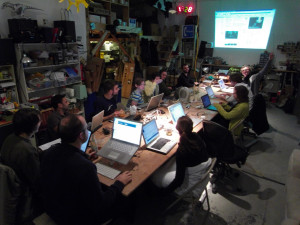
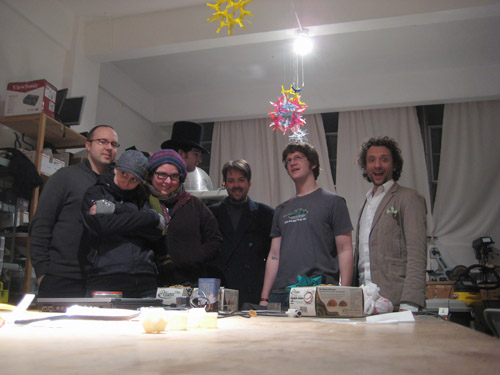
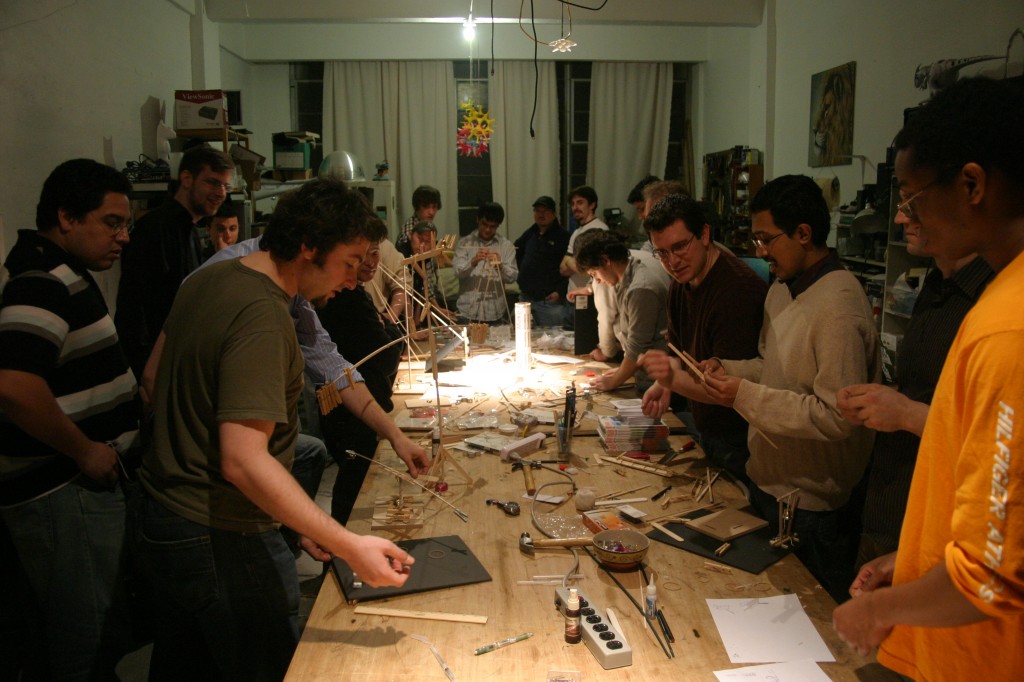
MakeNYC held it’s 10th meeting at NYC Resistor last evening. Phil Torrone the editor of Make Magazine stopped by and dropped off some freebies. We held a timer challenge in which 4 teams worked tirelessly throughout the night to construct awesomely unique devices that would be able to be initiated on command, count to 10 seconds, then ring a bell. The results were awesome. The winning team won 4 bottles of club mate (courtesy of me). Much fun was had by all, and we are looking forward to an even more awesome event next time. Thanks to all who showed up, and the continual support we’ve received throughout the DIY and hacker communities. You guys are awesome.
Read more
make your internetz better with firefox add-ons
We learned how how to make your internetz better with awesome blinky LEDs all over your internetz, like this:
This is what ya’ll missed at the plug-in firefox workshop, btw.
First, take this code:
http://wiki.artzilla.org/nycresistor_background_blinking_lights_using_jquery
and copy it. Then make it funky. Or not, you can just copy the code.
Then, paste it in here:
http://arantius.com/misc/greasemonkey/script-compiler
in the user script part. Next hit ‘Compile!’ and it will generate you a .xpi file.
You can open that file and your firefox add-ons window will pop-up asking you to install it. for god sakes people, install it!
Restart your browser and when you open it again you will find led blinky goodness.
You’ll have these EVERYWHERE:

I learned it from Jamie and Tobi of http://fffff.at
The amazing animated gif was drawn by Bre,and the code was written LIVE during class by Jamie.
And I had these blinky LEDs in my browser the entire time while writing this blog post, which has made my life so much better.
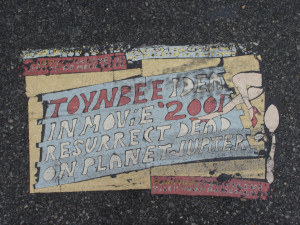
Toynbee Ideas!

Most of you are no doubt familiar with Toynbee ideas. And some of you are no doubt aware that their use in Kubrik’s 2001 are resurrecting the dead on planet Jupiter. But for the uninitiated, I figure an explanation of sort is in order. Long before there was the internet, or irc… there was a simple humble man. A man who knew too much some say. He knew of the sinister plot laid down in cinematic effigy, a necromancy of astronomical proportions. We do not know his name, or where it was he came upon this information, but society today is forever changed by his message. And the above image is just one of hundreds if not thousands of similar embedded messages in streets and sidewalks across the world.
Read more
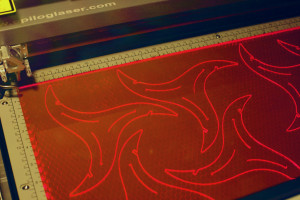
Information on lasering at NYCR

We’ve had an uptick in the number of folks intereseted in laser cutting something on our lovely laser cutter here at NYCR. In an effort to keep our collective sanity, lasering is now by appointment. This way no one makes a trip out to our space only to find someone else is on the laser, or no one ’s around.
To make it easier, we’ve set up a page explaining how to set up laser time with us, how you can learn to use the laser, and how much it’ll cost you. You can send any additional questions to laser@nycresistor.com.
CommentsLionel Hutz Had The Right Idea
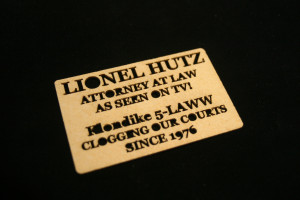
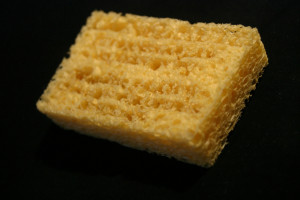
I like laser etching bizarre materials and the latest is compressed cellulose sponge, which can be found at most craft supply stores.
Emulating a fantastic lawyer from a classically elegant television show, The Simpsons, I made sponge business cards.

Compressed sponges expand when you put them in water, its awesome! They were cut on a 35 watt laser at 100% speed, 100% power, and a frequency of 1000.

You can pick up some of your own on Etsy. They’re super fun to play with. Oh, I guess you could use them for cleaning too. I did a whole bunch of tests with sponges, with full details at kellbot.com.
CommentsSome classes for the weekend!
Two fun things are happening this Sunday: A cheap and cheerful blinky workshop for Arduino users and a fun and crafty class in making glowing LED jewelery. Come on by!

BlingDaddy MIDI Hotness!
While visiting Detroit back in December, I ran into my friend Mike Bizon at the opening of the Yes Farm. We hadn’t see each other ages, so it was a pleasant surprise that our shared love of music and art had also extended into electronics. Here’s one of his projects, and a description…
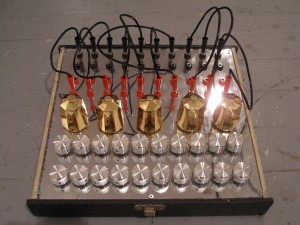
This is an analog midi controller I made to control software built in MAX/MSP.
It uses a MidiTron, a MIDI analog/digital I/O Interface connected to a computer with an M-audio Uno, a USB MIDI interface. This translates the analog messages to MIDI, readable by MAX/MSP.
This can be used to control any sort of MIDI device/program/message. I use it most to control a 8 step drum machine (see attached photo). It is set up as a glitch patch, the messages often getting crossed and the resulting audio having digital feedback and general unreliable glitchiness to it.
The controls on the instrument include 20 assignable potentiometers (knobs), 5 assignable photocells (at varying resistance), and a patch-bay allowing the user to decide which knobs or photocells are linked to which pin outs on the MidiTron (you can basically choose which knob (or light sensor) controls what function in your software, allowing you to change control over software parameters physically, without going into code.
Computers and programing can get a brother down, this is a physical answer to my digital pain.
Comments