Have you checked the NYCR Class list lately? No? You’re seriously missing out. We have a ton of new classes as well as some old favorites. Here’s a sampling of some upcoming classes:
Blender 101: User Interface and Basic Modeling – Nov 21
Learn to use Blender, a free 3D modeling program, to model just about anything. Use your completed models in your own programs, create new objects for games, or send them over to a Makerbot to be printed in real life.
Hack Classic Nintendo Games – Nov 28
Hack around with your favorite NES games using emulators. This class will teach the basics of 8-bit computing, memory addressing, explanation of buffer overflows and how memory works. And what better way to learn those things?
Radio and Antenna Design 2 dates! Nov 28 or Nov 29!
Foxx D’Gamma leads a discussion all about radio waves and how to design antennas to work with radio systems. There’s lots of useful information here whether you’re getting into ham radio or you’re trying to improve the range on your 2.4GHz WiFi router.
Beginning PHP Dec 5
Our intro PHP course is back! Get started writing dynamic content for the web, or just pick up what you need to know to start hacking away at your favorite CMS (WordPress, anyone?). No prior programming experience necessary!
Code Your Own Spam Filter Dec 6
This class is a gentle introduction to the document classification techniques used in spam filters, news sites, and language detectors. We’ll cover simple parsing, feature selection, and naive bayesian classification. By the end of the class, you’ll have written your own Twitter spam (or interestingness or happiness or annoyingness) filter, and have the code and tools to develop your own projects.
PS, tired of missing out on awesome classes because they fill up before you know about them? Add the NYC Resistor Class RSS feed to your reader, and get the scoop on classes right as they’re posted.
 For just $13.37 a month, less than a new stick of
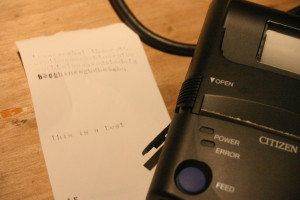
 Pins 1-8 are straightforward and what you’d expect to find on RS232. I was originally thrown off because 9 looked like signal ground. Pins 9 and 10 are tied to each other, and go to signal ground internally. I think this is used to indicate that the cable is present, as the printer defaults to IrDA otherwise. I’ve updated the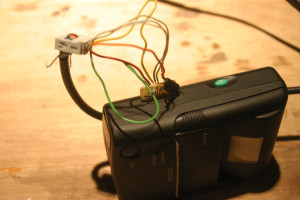

 A pair of calipers measured the traces at 0.8mm, so I came up with a board in Eagle, shown at left. It’s super simple, just 10 wires and 10 holes. I plan on using a
  After some trimming I got something which appears to work! I’ve located power and ground on the pins, but not much else. None of the other pins seem to be saying anything, which is surprising.