
make your internetz better with firefox add-ons
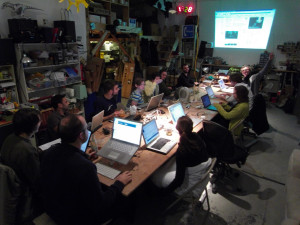
We learned how how to make your internetz better with awesome blinky LEDs all over your internetz, like this:
This is what ya’ll missed at the plug-in firefox workshop, btw.
First, take this code:
http://wiki.artzilla.org/nycresistor_background_blinking_lights_using_jquery
and copy it. Then make it funky. Or not, you can just copy the code.
Then, paste it in here:
http://arantius.com/misc/greasemonkey/script-compiler
in the user script part. Next hit ‘Compile!’ and it will generate you a .xpi file.
You can open that file and your firefox add-ons window will pop-up asking you to install it. for god sakes people, install it!
Restart your browser and when you open it again you will find led blinky goodness.
You’ll have these EVERYWHERE:

I learned it from Jamie and Tobi of http://fffff.at
The amazing animated gif was drawn by Bre,and the code was written LIVE during class by Jamie.
And I had these blinky LEDs in my browser the entire time while writing this blog post, which has made my life so much better.
This has increased my internetz productivity 200%. THANK YOU NYCRESISTOR.
You peepol witnessed a moment in history!!1
You guys should think about broadcasting these events, so the rest of us not in NYC can take part! Looks fun.
Extraordinarity: ,
Thanks a lot! It's a nice article! I like such amazing stories!
thanks a lot for your amazing article!
thanks a lot for your amazing article!
Good video! Blinking is very very cool 🙂